
Wedding seating chart
Move the names around.
Not another spreadsheet.
Turn confirmed guests into tables and seats with a visual editor built into the same place as your guest list.
Included in your 30-day free trial. No credit card required.
See the room take shape
Seating is a relationship puzzle. It should look like one, not a column of table numbers.
Arrange tables visually
Build the room layout with tables and see the seating plan as you work.
Assign real guests
Use the guests already confirmed in Betwyne instead of maintaining another list.
Adjust without starting over
Move assignments as RSVPs and family decisions change closer to the wedding.
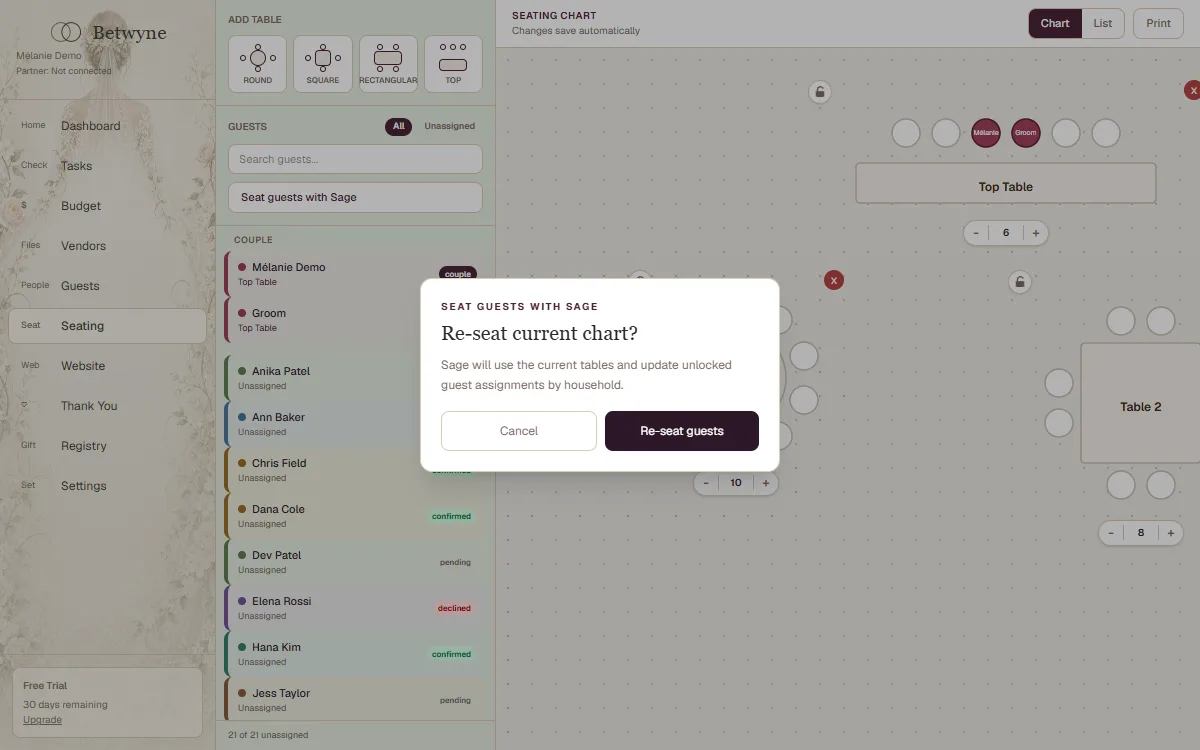
The actual seating editor
A visual plan connected to your confirmed guest list.
Betwyne keeps the seating work alongside the guest information that drives it, including households and attendance.
How it works
From first step to a plan you can use.
Confirm the guest list
Work from the people who are actually attending.
Create the room
Add and arrange the tables needed for the reception.
Place and refine
Assign seats and keep adjusting until the room feels right.
Helpful questions
The details, before you begin.
Does the seating chart use our Betwyne guest list?+
Yes. The seating tools work with guests stored in the same couple account.
Can we move guests after assigning them?+
Yes. The chart is designed for rearranging assignments as the plan changes.
Can we use the seating chart on a phone?+
Yes. Betwyne includes a mobile seating workflow as well as the larger desktop editor.
Can both partners edit the chart?+
Yes. The seating plan is part of the shared couple account.
Is seating included in the free trial?+
Yes. The seating chart is included during the 30-day trial.
Keep planning
Everything stays connected in Betwyne.
Start in one calm place
The wedding is yours. The plan can be shared.
Try every Betwyne planning tool free for 30 days.
Start planning free